
Hey my friends,
I was trapped with a problem for more than one week now. And it drove me crazy. So i made a short Youtube video about it. You can find it here:
https://www.youtube.com/watch?v=1NSKlRipe0w
It is a very specific problem with Linux on a Dual Boot system and external ntfs drives. And chances are you will never encounter it. But if you do, I hope this video saves you a lot of time.
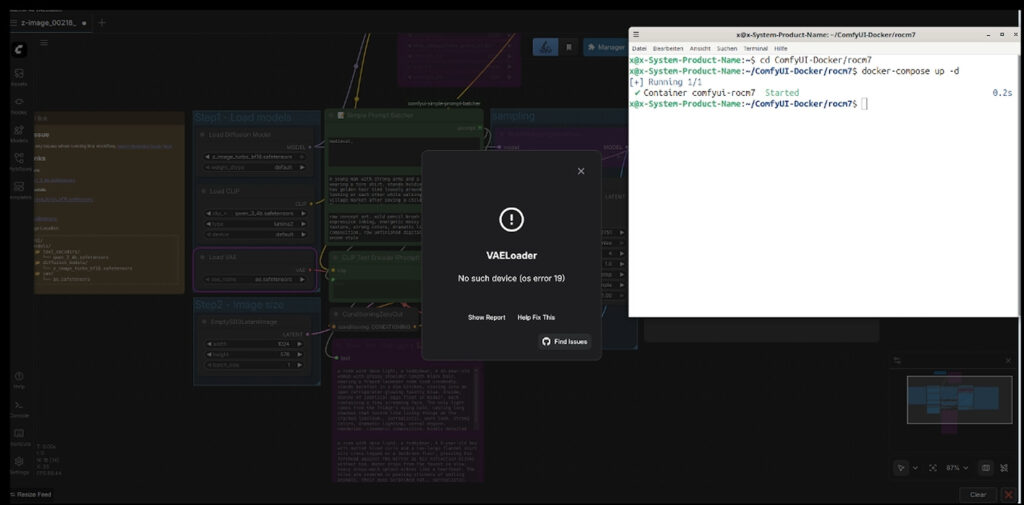
The Problem was that my ComfyUI Docker at my Dualbootsystem with Ubuntu suddenly stopped working. Every time I tried to run a workflow, the VAELoader node threw this error:
OSError: No such device (os error 19)
I ran through several approaches, made the docker new with another rocm version, checked for problems with the rocm installation at my host system, checked device mounts and permissions, nothing helped.
Using ChatGPT for finding the solution wasn’t helpful neither. At one point it forced me to repeat the same step several dozen times. Of course without success, repeating a not working step over and over again does not make it magically working at one point.
Claude then found the cause after just half an hour, my mounted drive with the models was read only. Windows leaves the drive in a state that cannot be easily used by Linux. And the solution then was that i had to change the automount string in Fstab to contain the term force.
Example entry in the fstab:/dev/disk/by-uuid/YOUR-UUID /mnt/your-mountpoint ntfs3 uid=0,gid=0,rw,force,nosuid,nodev,nofail,x-gvfs-show 0 0
And now i am finally back into business.